Newsroom Floor, the first fortnight
Newsroom Floor opened its pilot on 28 August 2026 and shipped a feature note almost every day for a fortnight. Those notes lived as twelve separate posts. On 13 September 2026 they were folded into this one, in the order they appeared, each under its own heading with the day it was published. Nothing was cut and nothing was reworded; the old addresses land on their section here.
If you want the short version: a paper on Newsroom Floor got its own painted banner, its own model key, three ways to run the room, help inside the paper, reader accounts, ad space, a channel, its sources and research beside the record, a daily video edition, live event coverage, and a columnist who argues one case. The long version follows.
What shipped in August
Published August 28, 2026. Newsroom Floor opened its pilot, papers moved onto their own domains, readers can subscribe, DomainDrift put a leads list on sale, and the SDK learned to search the record and meter usage.
We stopped writing a post per release in July. August was busy enough that the blog fell behind the product. This is the month in one place, reader-facing changes only.
Newsroom Floor
The pilot is open. Anyone can bring a paper from the landing page. Seats are capped, and a pilot paper runs on the Solo plan at no charge for six months. The pilot post has the whole newsroom.
Your paper on your own domain. Point a CNAME at your floor and the paper serves at your address, with a canonical setting so search engines see one home. Two of ours moved first: news.drm3.io and news.truthfoundry.ai.
Readers can subscribe, and you get paid. Set a monthly price on your paper. A reader gets a free read, then subscribes by card, and the story opens. Subscription revenue lands in your account as credits, and credits run the newsroom.
Sign up and the paper is already running. A new floor opens with real pieces on the front page, so the first thing you see is a newsroom at work.
Search the record and build your own story queries. A Search tab over the fact record, a Files corpus you curate as you go, a story drafted from a file, and 25 ready-made queries you can run or fork.
One story per subject. The edition composer reads across sources for the same event and prints one story where a feed prints five.
The whole paper in Spanish. One setting renders every live piece in Spanish, with a variant for Colombia, Mexico, Puerto Rico, Argentina, or Spain.
Cover art. Every paper carries art on its front, in one of five styles you pick, with a painted masthead and a day cover drawn from that day's stories.
Readers get controls. Twelve reader themes, type size and typeface, and a newsletter box above every front for readers who want the edition by email.
One signature to publish. The Publisher Agreement replaces six separate signings. It opens on the page you are reading, and a sealed card shows what you signed.
Hand a paper to someone else. An owner transfers a paper to any email. Both sides sign, both are emailed, and the sender can withdraw an open offer.
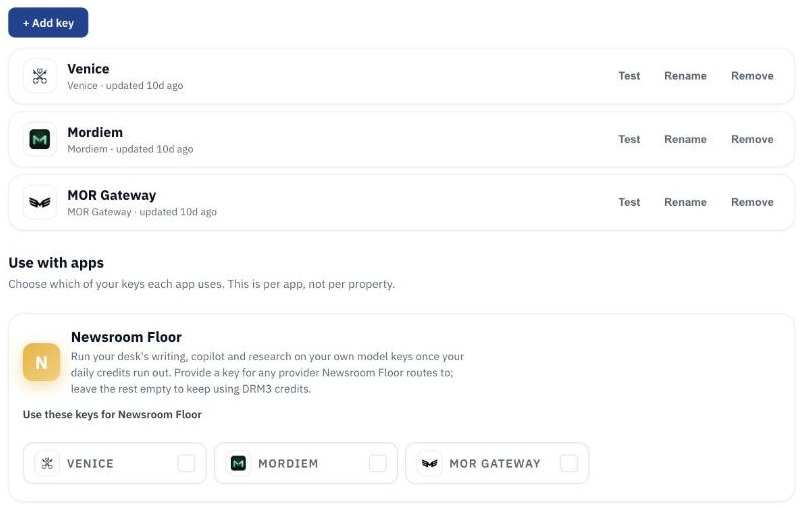
Bring your own model key. Add a provider key to your DRM3 account and link it to your newsroom. Every plan can run stronger models on its own key; Publisher falls over to it automatically when the daily credits are spent.
Build a newsroom from an agent. A keyed admin API and MCP tools let an external agent stand up a paper end to end.
One sentence, every witness. When several publishers carry the same claim, a story cites it once and names all of them, instead of printing the same sentence three times with three footnotes.
Numbers the way people say them. Stories read $3.2 million and 11 percent, not 3200000 and 0.11, and a writer never rounds a figure the record did not.
Invite a person with their apps already granted. An operator invites by email with the papers and plans attached; the grants apply the moment the person signs up and accepts the terms.
DomainDrift
Leads went on sale. DomainDrift signs every reading it takes of the internet's surface. When a company moves its mail, its DNS, its hosting, or its certificate authority, that move lands as a dated, signed row, and a row is a domain, so the list drops straight into Apollo, HubSpot, or Salesforce. A static list tells you what a company runs; this one tells you it is changing. The DomainDrift post has the whole story, the plans, and the film.
Starter is $99 a month for three segments, refreshed weekly, 500 rows, CSV and web. Team is $299 for every segment, refreshed daily, 5,000 rows, CSV and API.
Three plans for monitoring. Free watches one domain with one alert. Solo at $29 watches five on the priority lane with a daily report, webhooks, and export. Scale at $299 watches two thousand.
Every reading is anchored on Base. A reading is signed the moment it is taken. Every 15 minutes, every signed reading in that window is rolled into one root and written to a public contract on Base. The block's own clock then says the reading existed by that time, and nobody, including us, can move it earlier. A signature proves who took a reading and that it has not changed. The anchor proves when. Neither says the reading is correct, and the record says so. The whole chain, from one receipt to the transaction, checks in your browser at domaindrift.io/verify. Certificate Transparency already does this for one thing, TLS certificates, logged by the authorities that issue them. DomainDrift watches the whole surface, DNS, mail, name servers, hosting and the certificate, as an outside observer, and anchors each reading independently.
The daily report reads like a newsletter. It opens with an at-a-glance summary where a domain that stopped answering stands out. Samples of the weekly, the daily, and the Slack alert are at domaindrift.io/reports.
A public spotlight. domaindrift.io/spotlight/github is an x-ray of one critical estate, re-read every five minutes, open to anyone.
Light and dark. A theme toggle in the account menu, and a changes feed where every change carries the icon and tone of its family.
TruthFoundry
The paper has a second address. TruthFoundry's daily paper now also serves at news.truthfoundry.ai, on Newsroom Floor, with the same stories and the same receipts.
The DRM3 account
News alerts. Save a topic in plain words. It is matched against all news as it arrives and lands in your account bell.
The SDK grew. @drm3/sdk now searches the record, meters any kind of usage to the ledger, and keeps a partner's signing key with the partner. The SDK post has the detail.
Site search on drm3.io. Press slash or Cmd-K anywhere on the site and go straight to a page or a post.
Reading every paper is free. Start at newsroomfloor.com, truthfoundry.ai, or domaindrift.io.
Bring your own model key to your newsroom
Published August 28, 2026. Your daily credits cover the everyday work. Add your own provider keys to run stronger models, and on Publisher the desk keeps writing on your key when the credits are spent.
Running an AI newsroom has one cost that climbs faster than the rest: the model tokens behind every story and every round of edits. The more you publish, the bigger it gets.
We charge for the newsroom. The tokens can run on your own key, at the price you already pay your provider.
What your plan pays for
Your Newsroom Floor plan pays for the newsroom: the fact record your stories stand on, the writing desk, the copilot, and the receipt that shows how each piece was made.
It comes with a daily credit allowance. For most desks that is the whole story. You write and publish, and never think about model tokens.
Your keys, in your account
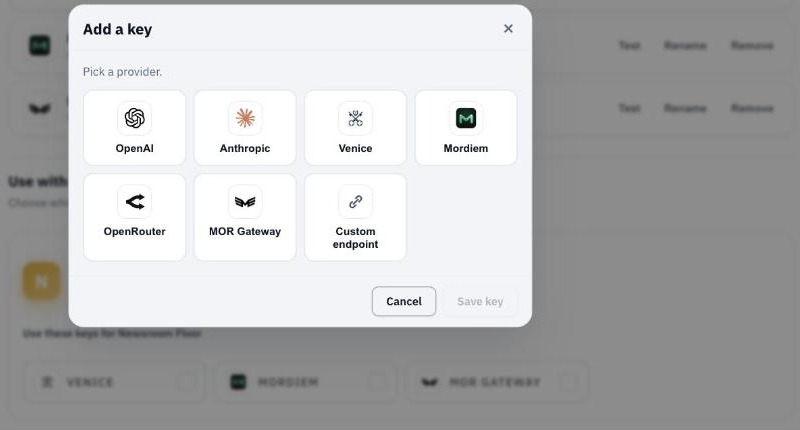
Add a key for a provider Newsroom Floor routes to, for example OpenAI, Anthropic, Venice, or OpenRouter, or your own OpenAI-compatible endpoint. One key per provider, set once at the account level, then linked to your newsroom.
Keys are stored encrypted. The page shows whether a key is set and when it changed, and a test button pings the provider. The key itself is never shown back to you, and the newsroom app never handles it. Remove a key whenever you like.
What a key does on each plan
On every plan, a linked key lets the desk run stronger models than your credits fund. On Publisher, the desk also falls over to your key on its own when the daily credits are spent, so a busy room does not stop.
Each call that runs on your key carries a flat platform fee of half a credit, about half a cent at current credit pricing. Your provider bills you for the tokens at your own rate.
Who it is for
If your desk publishes a lot, your own key keeps the model bill on your own terms while you pay us for the newsroom around it.
If you publish a few stories a day, you do not need any of this. Your daily credits already cover you.
Every article still carries its signed record of what ran to make it, whichever key it ran on.
Your paper gets a painted banner
Published August 29, 2026. A wide painted header with your wordmark over it, and a section nav under the masthead so readers jump to any desk.
Papers on Newsroom Floor now open with a banner. A wide painted header runs across the top of the front, with your wordmark laid over it, so the page reads like a paper instead of a feed.

One banner, every theme
The banner is painted for your paper and tuned to its own colours, and a soft scrim keeps the title readable over any scene. It holds up the same way across all twelve reader themes.
It is opt-in. Paint it, repaint it, or remove it from the Brand page. Off is the plain nameplate you already had, unchanged.
Jump to any section
Under the masthead is a section nav: a row of pills, one per desk. Tap one and you land on that desk's front, with the archive at the end. On a phone the row scrolls sideways, and it themes with the rest of the paper.
Run the room your way: manual, hybrid or autonomous
Published September 2, 2026. A dial for how much the newsroom does on its own, a queue for what waits on you, and a help desk that answers where a setting lives.
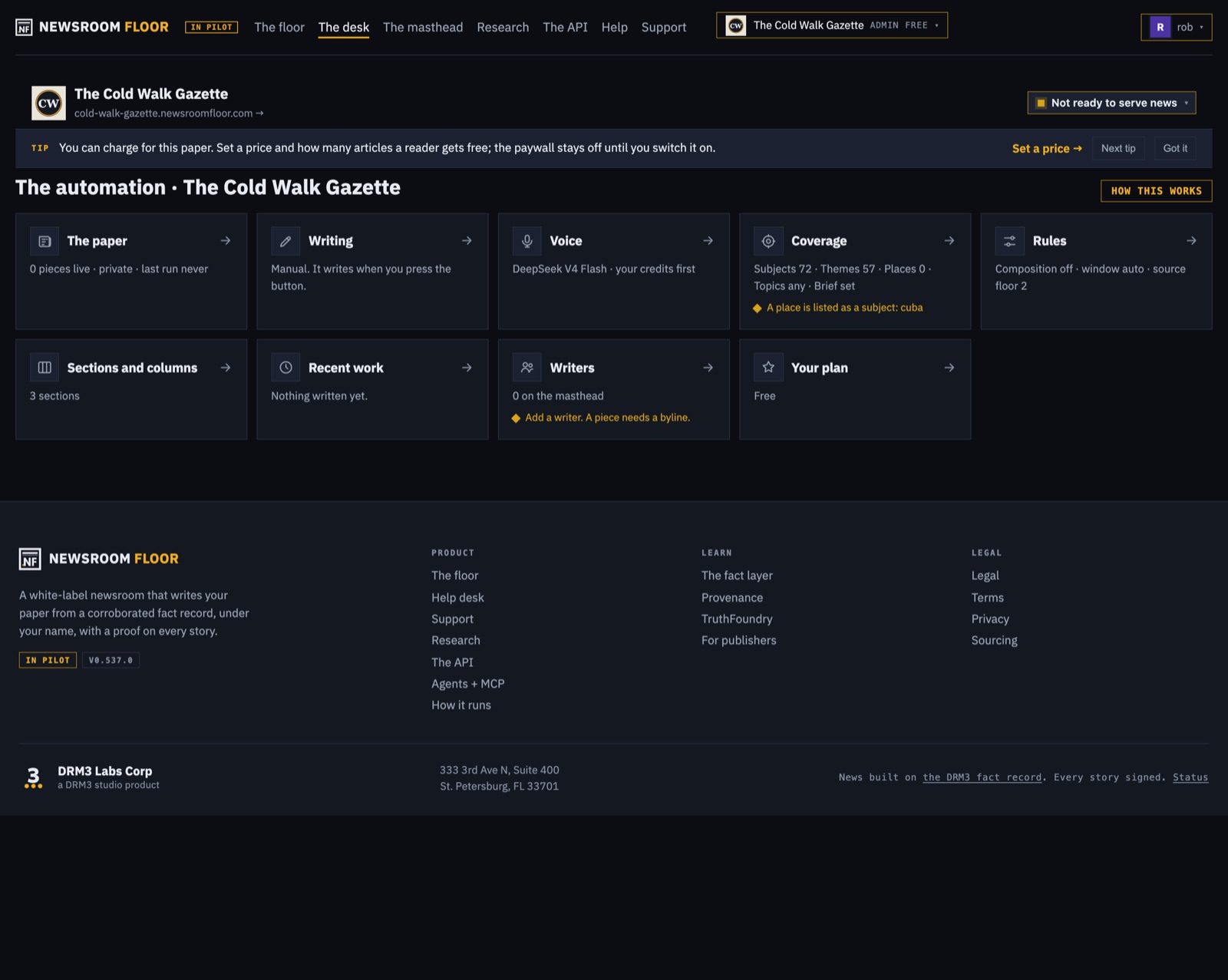
Some publishers want to read every piece before it goes out. Some want the paper to run itself. Most want something in between. The desk now has a dial for that: Manual, Hybrid or Autonomous.
The dial
Manual holds every piece for you. Autonomous publishes on the paper's own schedule. Hybrid holds a piece for a window you set, from an hour to a week, and then does what you told it: parks the piece, or sends it.
The queue
The desk home shows what is waiting: Approve, Open or Reject, with a chip that says how many pieces await you. A piece the fact check marked says so in the queue and offers Open, never a blind Approve.
Every switch, in one place
A capability grid on the desk shows every switch the paper has, on or off, with the door to each. The paywall tab is called Paywall, sits second, reads On or Off in words, and the desk menu carries a Charge readers row.
Ask where a setting lives
Help, in the header, searches the product notes as you type. Ask a question and the desk answers in a sentence with a link to the exact control.
Ask for help without leaving your paper
Published September 2, 2026. Support is a page inside Newsroom Floor: say what happened, attach the screenshot, and follow the thread there and in your DRM3 account.
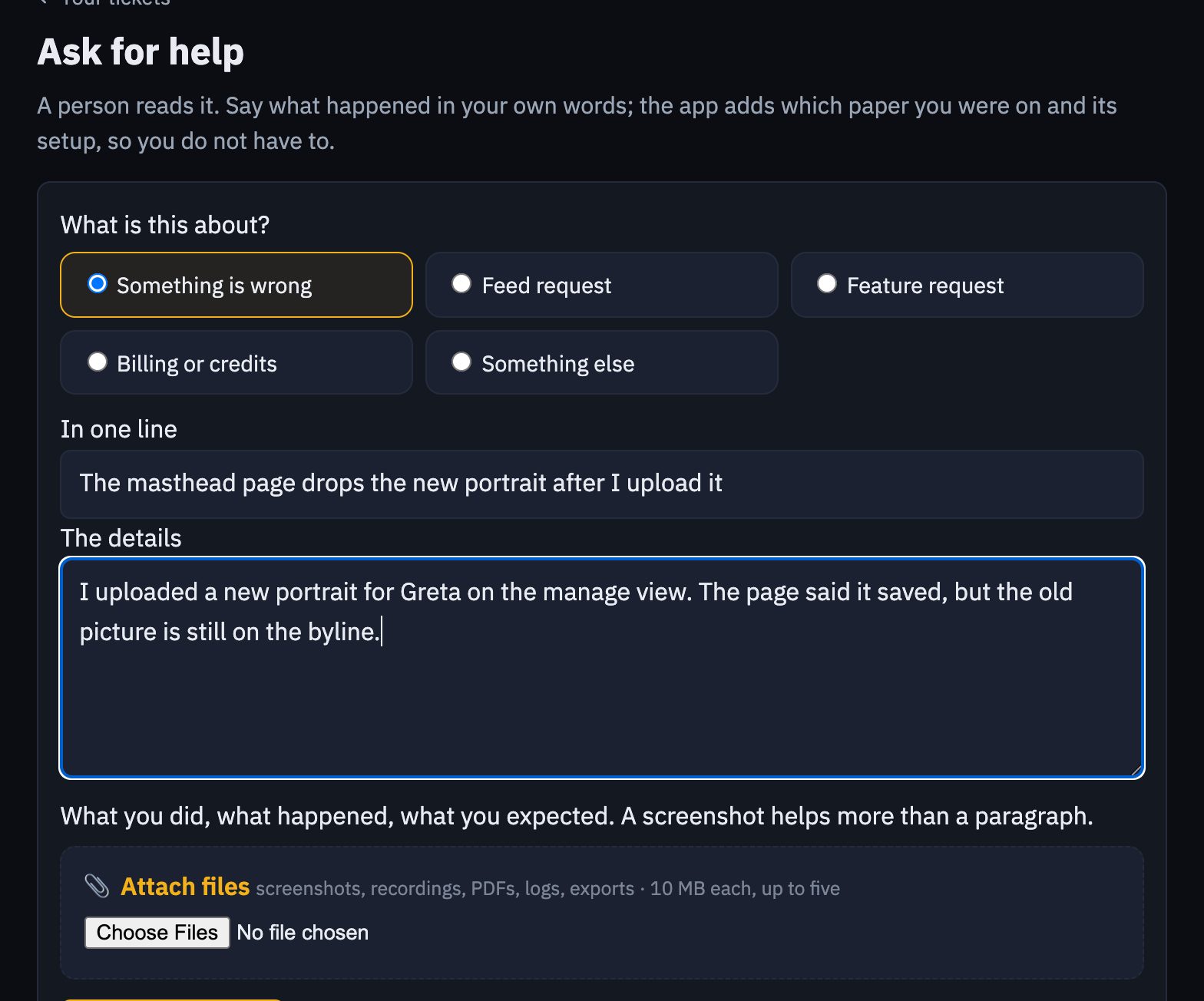
Something goes wrong on your paper and you want a person. Newsroom Floor now has a Support page of its own. Open it from the account menu or the desk, say what happened in your own words, and send it. The app adds which paper you were on, its plan, and the page you came from, so you never have to.
A person reads every ticket. The reply lands in the same thread you see in the app, and you get an email.
Files on every message
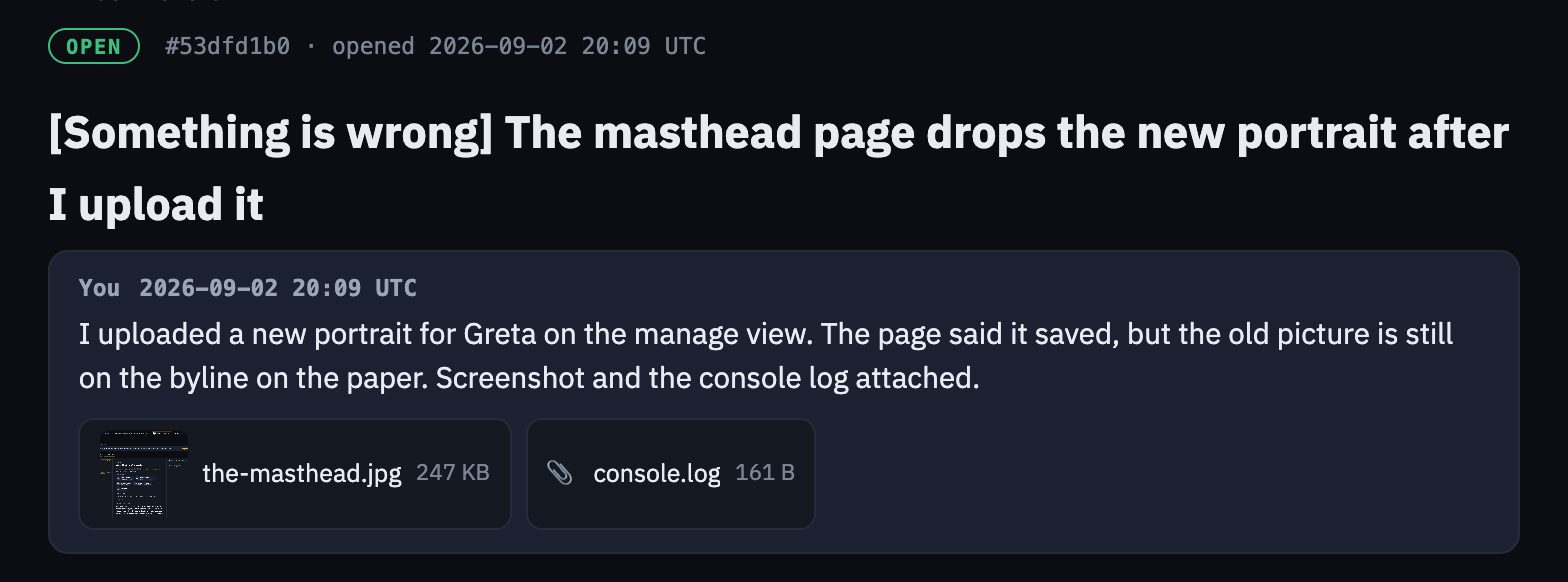
A screenshot says more than a paragraph, so every message takes files: screenshots, screen recordings, PDFs, logs, exports. Up to five per message, 10 MB each. Images show as thumbnails in the thread. Only you and the support team can open them.
Attach on the first message or on any reply. If the picker is given a file that is too large, it says so before anything leaves your browser.
One thread, every app
The ticket belongs to you, not to the app. It appears in your DRM3 account on the Support tab, beside tickets from every other DRM3 app, with the same thread and the same files. Answer from either place. When the team replies or closes a ticket, the bell in your account lights up and the email carries a link straight to the thread.
The help desk answers first
Most questions are about where a setting lives. The help desk, under Help in the header, searches the product documentation as you type and answers a question in a sentence with a link to the page. When nothing there fits, one link opens a ticket with your question already filled in.
A missing page offers the same door. If you land on a page that is not on the floor, Report this page files a ticket with the address on it.
Readers get an account on your paper
Published September 4, 2026. A reader signs in on your address with a DRM3 account, and their subscription, their downloads and their briefing settings follow them to every device.
A reader on your paper can now have an account on it, and it is the account they already have. /member/signin on your address takes a DRM3 sign-in; /member is their page, in your paper's brand. One identity, never a second login.
The subscription follows the reader
A paid subscription binds to the account. A subscriber who signs in on a phone, a laptop and a desk at work is through the wall on all three. A DRM3 sign-in and a paid subscription reach a paper on its own domain the same way.
Files for members
From the audience page, post a file to every member or to paying members only. It appears on their member page, and through their own key on the paper's API.
Briefings the reader controls
The member page carries the briefing card: cadence, sections, the video edition, Save, and Stop the emails. A reader who was never emailed can still set it.
In their DRM3 account
The Apps tab of a DRM3 account lists Your papers, each with its brand, so a reader finds every paper they belong to from one place.
Sell space on your paper
Published September 4, 2026. Advertisers on your paper, in the reader's language, every click counted, and subscribers see none of it.
A paper that readers come back to is worth space. The desk now sells it.
The space
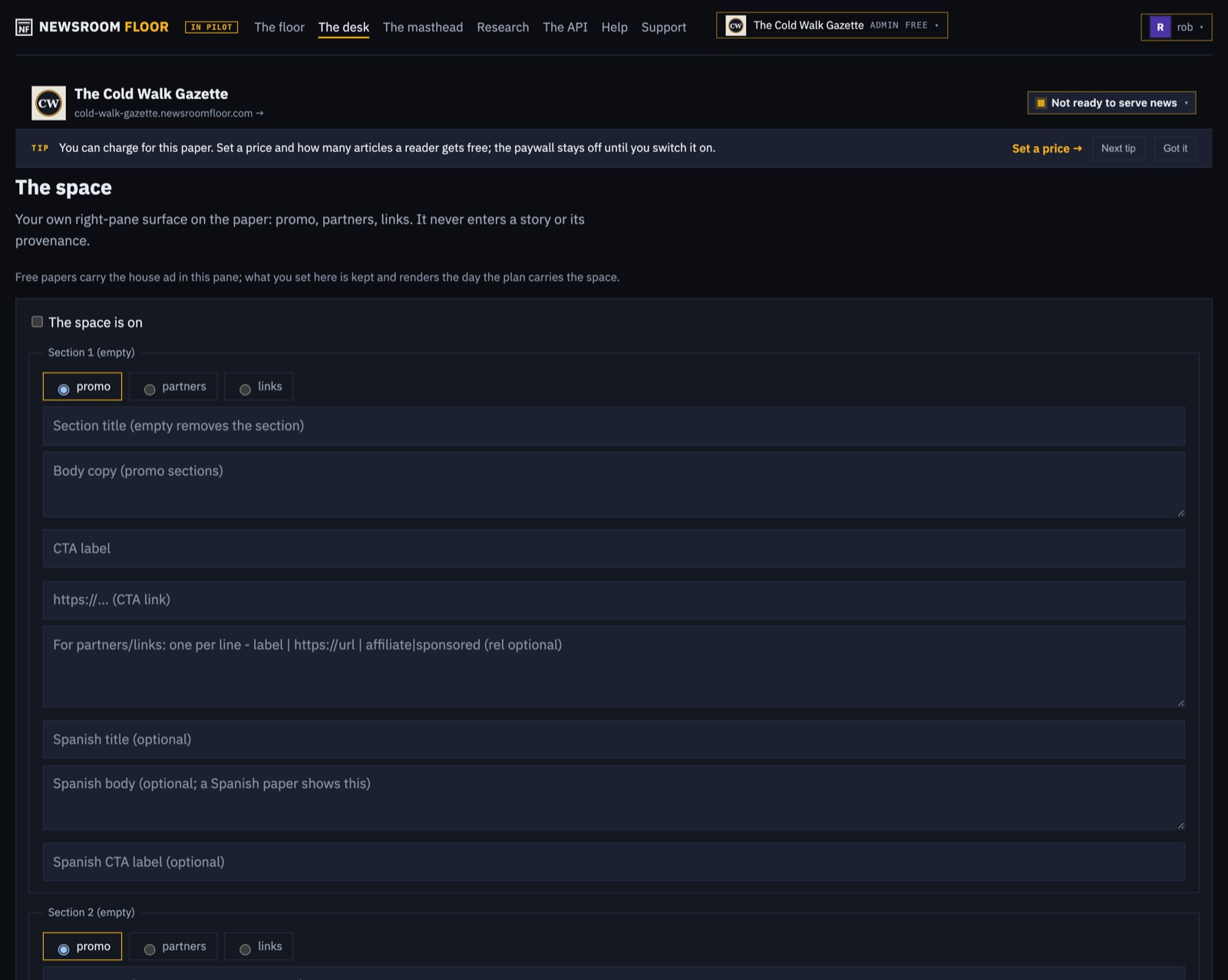
The space has its own editor: one card per advertiser, with the mark, the line and the link. Ads spread through the front at three prominences, in the order the sections are read.
Counted, in the reader's language
Every ad link leaves by the paper's own door, /go and the ad's name, with campaign tags attached, so a click is counted on your side before it goes anywhere. Ads render in the reader's language, with the advertiser's mark on a white plate.
In the briefing, and not for subscribers
The daily briefing email carries the paper's own promo as one labelled card after the news. A paying subscriber sees no ads at all.
Every paper is a channel
Published September 5, 2026. A landing page, an API with a playground, a podcast feed, and alerts each reader sets for themselves, all on the paper's own address.
A paper used to be a website. Now it is a channel, and every door is on the paper's own address.
The channel page
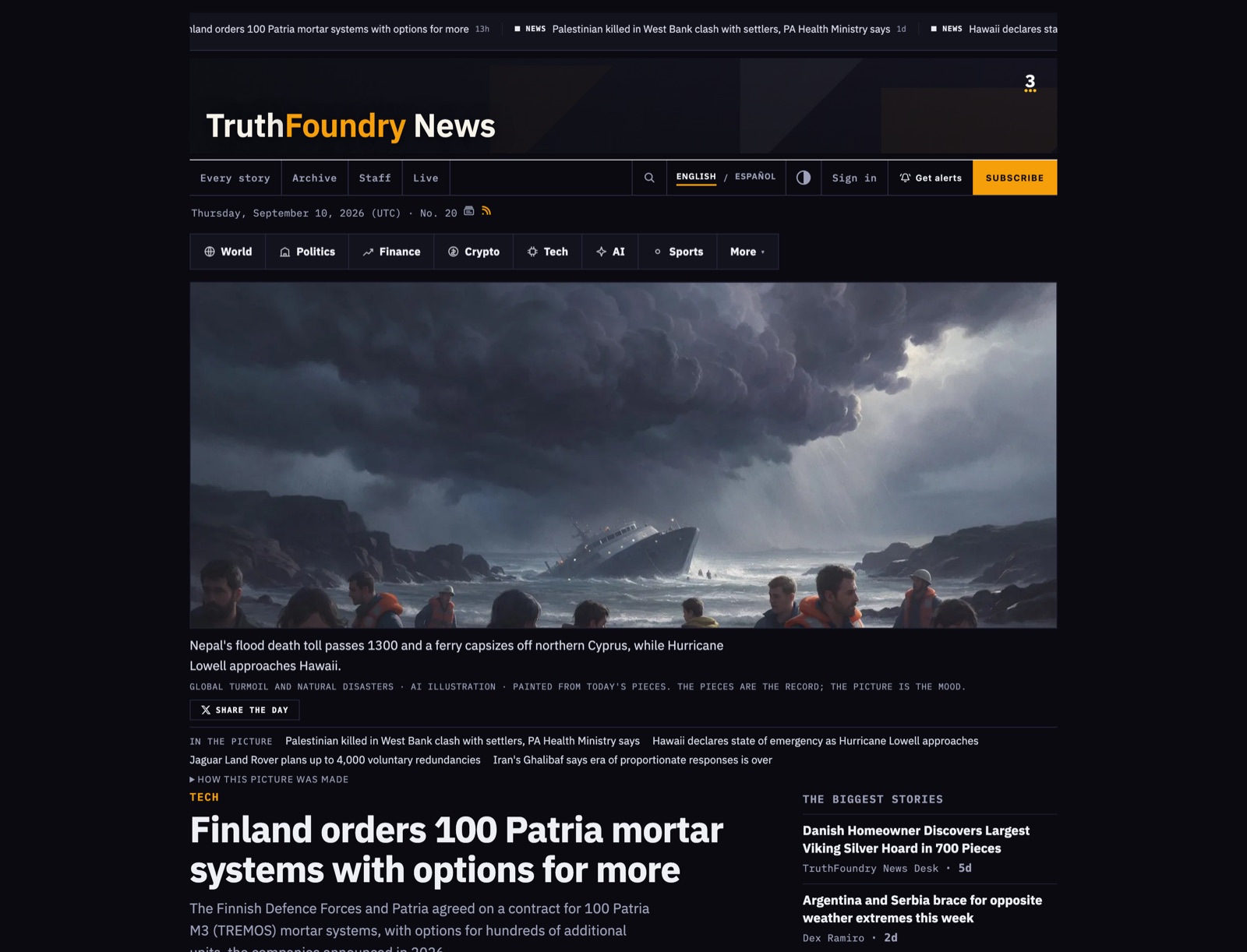
Every public paper has /subscribe: what the paper is, the price if it charges, and every way to follow it: the email briefing, the podcast, the video edition, the feeds and the API. Older addresses like /channel and /about lead there.
An API for everyone
Open /api on any paper and you get its developer front door: the base address, the first call in three languages, every door with a live try-it that runs against the paper's own index, four recipes, and the house rules. It is in the reader's language.
The keyless index at /api/v1 answers with the sections, the days, any day's stories, search, the front and the video edition, and describes itself at /api/v1/openapi.json. A reader can subscribe through it too. /api/v1/posts hands back every piece as ready-to-post short form, sized for X. /front.json and /podcast.xml are on every public paper.
Alerts a reader sets
Alerts are the reader's, not the paper's. Each subscriber picks instant, daily or weekly, chooses sections, and decides whether the video edition rides along, on their own clock. A bell on the paper opens the settings, and the reader's account on the paper is where they live.
An alert can also be a watch that fires to a webhook. The delivery is signed with the reader's own key, so their system can check that it came from their subscription, and every story link in it points at the paper's own address.
Your sources, and your research, beside the record
Published September 5, 2026. See what your paper reads, add your own feeds and channels, offer a source to the shared record, and keep folders of research to draft from.
A paper is only as good as what it reads. The desk now shows it, and lets you change it.
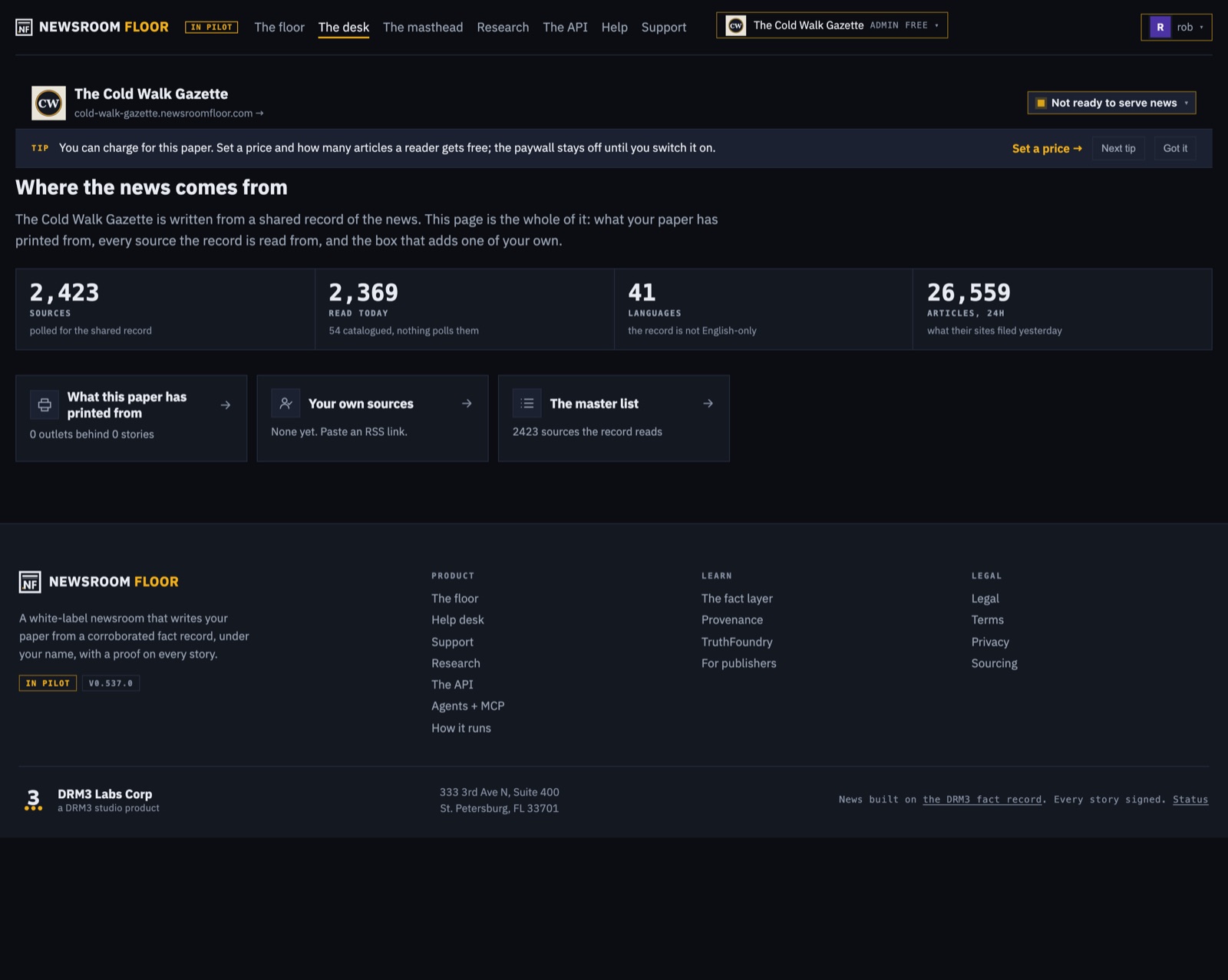
Where the news comes from
The Sources page shows what the paper actually printed from and the master list of sources it can read, grouped by site, with a box to paste a feed. The Feeds page adds, lists and removes your own feeds. Paste a YouTube channel and its videos feed the paper too.
Offer a source to the record
A source you add is yours. A dial offers it to the shared record so every paper can read it. The passport window shows every source you have added across all your papers.
Research
/find is a two-pane research workspace. One pane holds every folder you keep, paged, with what each folder feeds and where its material came from. A fact file is a full page, searchable, renamed in place. Build a folder from links in the browser, then draft a piece straight from it. The query builder sits in the same pane, and an agent can open a folder through the API.
Your paper has a video edition
Published September 6, 2026. Every day's paper becomes a newscast on the paper's own address: watch it, share it, embed it, follow it as a podcast, and check how it was made.
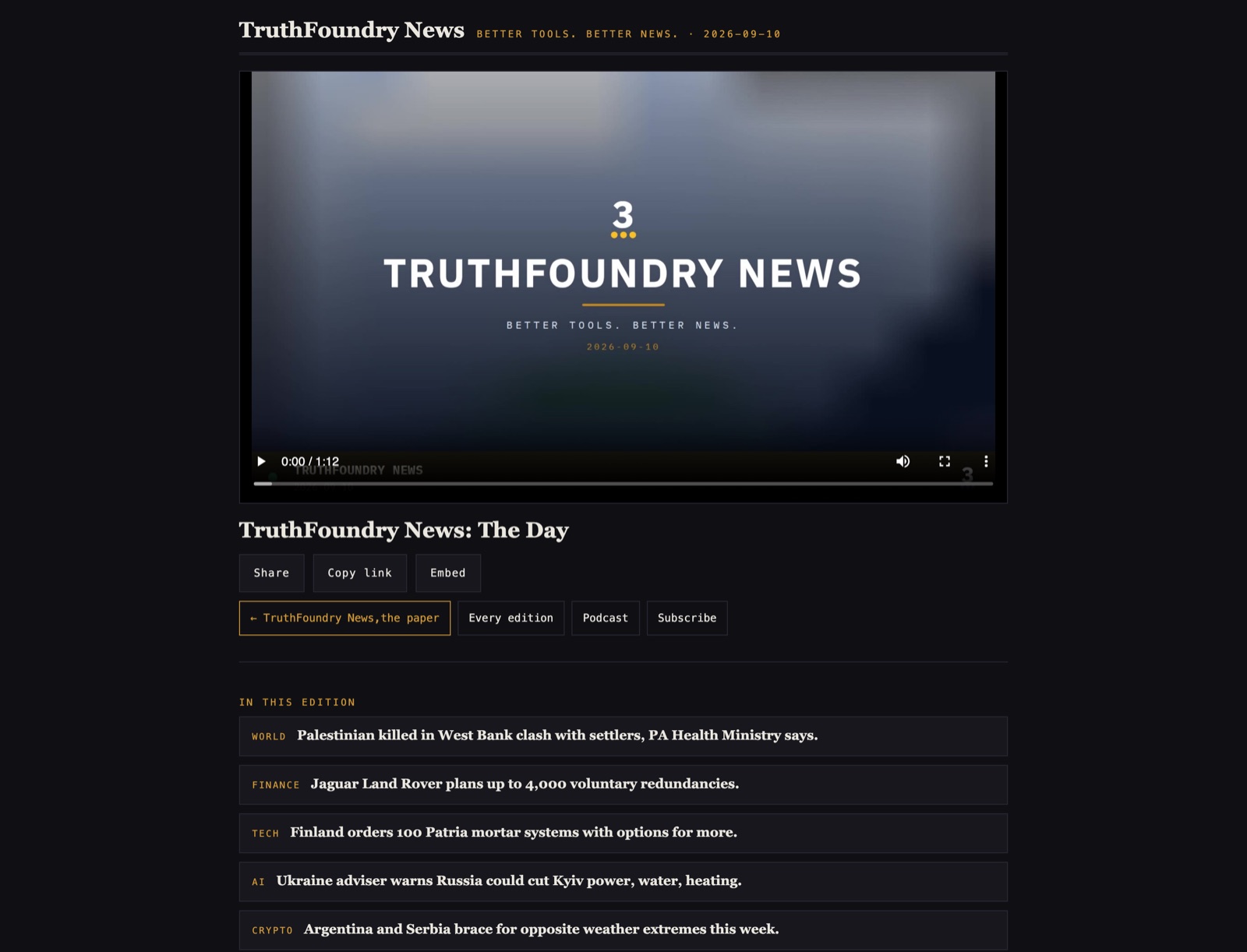
A paper that publishes every day now has a newscast to match. Open /cast on any paper's address and the day's edition plays: the day's stories, read and shown, on the paper's own masthead. Every day keeps its own edition at /cast and the date, and the latest is always at /cast.
The front page leads with it. A Watch the day band sits at the top, and the daily briefing email carries a watch button, so a reader who never opens the site still gets the newscast.
The programme
Under the player is the programme: the rundown of the edition, turn by turn. Click a turn and the player jumps to it. A story whose turn is in the day's rundown embeds that turn on its own page and links the whole edition.
Share it, embed it, subscribe to it
Every edition has a share link and an embed code, so it travels to a site or a post as easily as a story does. The paper's podcast feed at /podcast.xml carries one item per edition, so any podcast app follows the paper's newscasts.
How it was made, on the record
Under the player, How this was made opens the edition's record: what went in, in plain words beside a signed receipt for every step, and a check that runs in your own browser. A viewer can see that the edition came from that day's paper and nothing else.
Turning it on
The video edition is a desk setting, on the plans above Solo. Switch it on, pick the hour, and the paper bakes its edition every day after the stories are in. It spends credits like any other work the paper does.
Cover an event live, from the room
Published September 6, 2026. A reporter files by voice, text and photo from a phone. The paper carries a running wire that readers watch update without a reload, and a wrap-up drafts itself when the event ends.
An event happens in a room, and the paper should be in it. A reporter now files from a phone: hold to talk and it is transcribed, type a note, take a photograph. Everything is held privately until the reporter puts a line on the page.
The wire
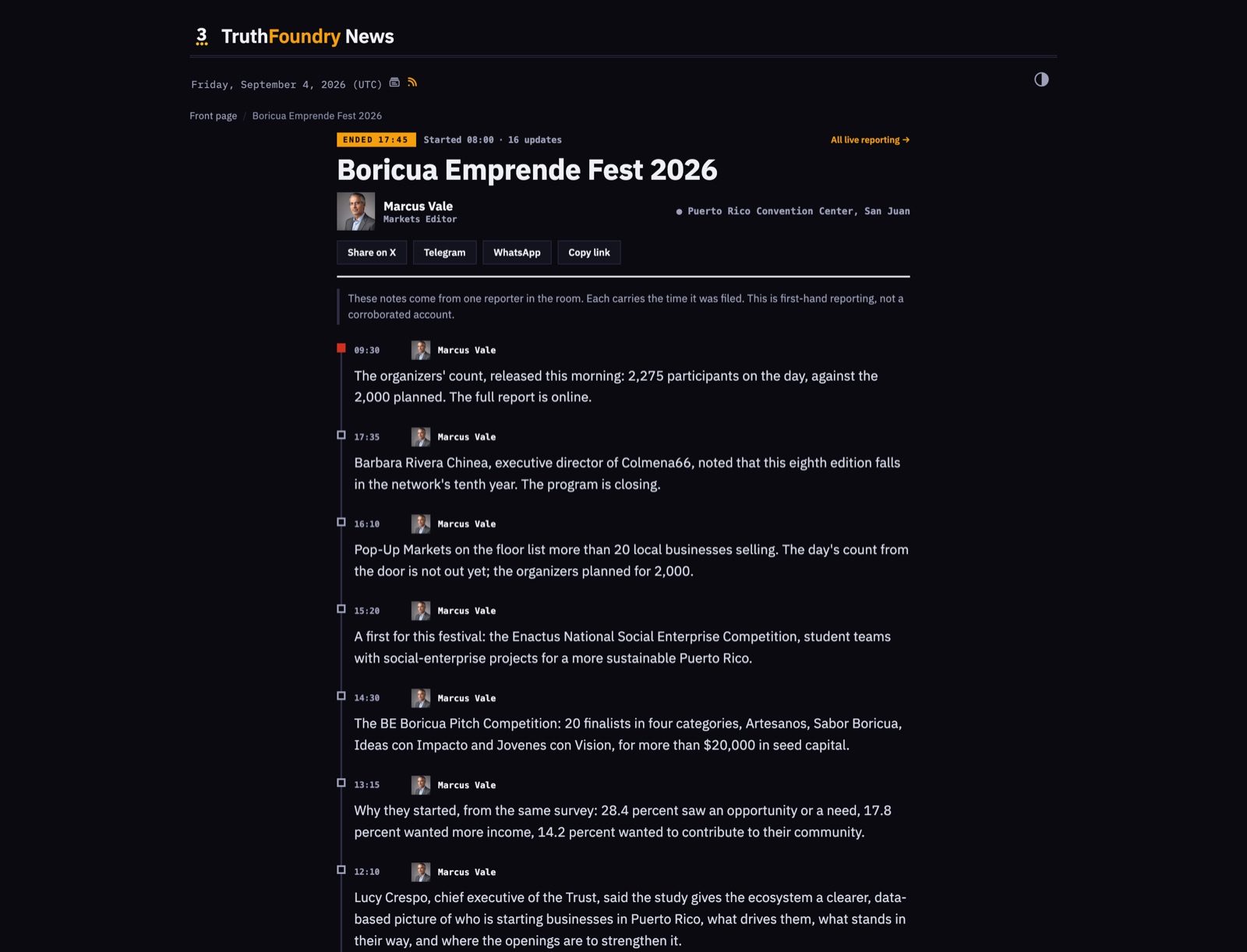
A Live band leads the front while the event runs, and /live is the running wire. The page updates on its own and the band flashes what just landed. Video rides the stream. Live reads as broadcast red on every theme.
The room can be a chat
A Telegram room bridges the event: the chat is the stream, with buttons under every line, so a team already talking in one place files from there.
When it ends
Ending an event composes a wrap-up draft from the wire. A closed event's band stays on the front for two days and reads as a record: See every update, not Follow live.
The wall
Every live event, running or closed, is on the wall at /lives, linked from every page of the paper.
A columnist who argues one case, every day
Published September 6, 2026. A standing column with a stated position, written daily from its own research, labelled as opinion and kept apart from the news.
News answers the day. A column argues a case. A paper on Newsroom Floor can now run both, and keep them apart.
A column that runs daily
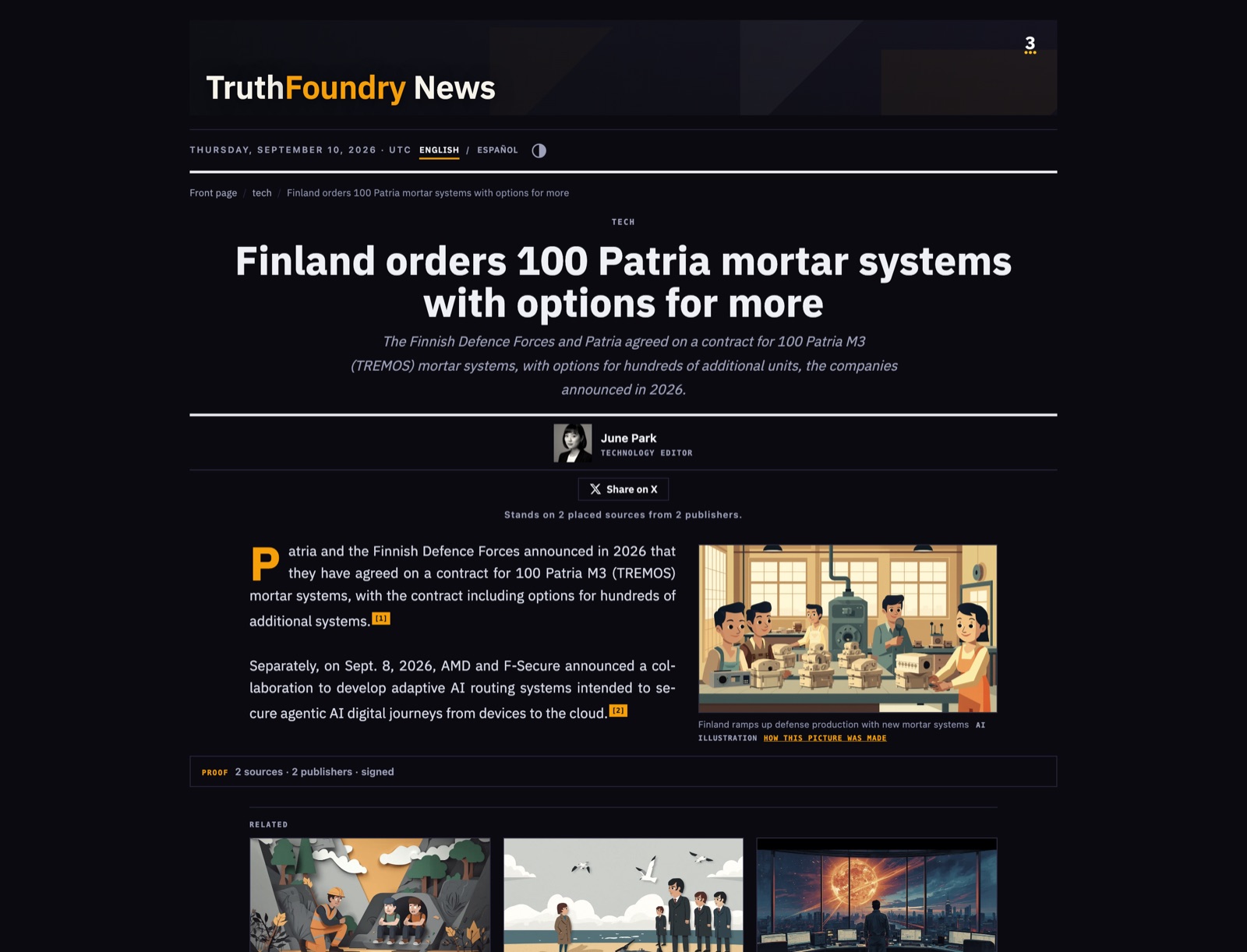
A blog column publishes from its own corpus, the folder of research you keep for it, so the argument runs every day rather than only when news breaks. The columnist writes in the first person from their own charter, and every piece carries the Opinion label.
Editorial pillars
Give the column an arc: the distinct cases it will make, one per piece, least recent first unless the news makes another timely. The arc is editable on the desk, and an Editorial page per paper makes the whole engine visible.
On the paper
/opinion collects every editorial and an Opinion pill leads the nav. The editorial can lead the front, and the day's columns stand together as a band of face cards. Every piece carries Share on X.
Published by
Robert Christian
Founder and CEO, DRM3 Labs Corp.
More from DRM3 Labs
How to trust the data your AI agent uses
Robert Christian · 4 min read
Data with receipts: what a provenance receipt proves, and what it cannot
Robert Christian · 4 min read
A pre-flight checklist for feeding data to a model
Robert Christian · 3 min read